 After 15 years of weekly posts, we're starting to have a hard time finding new, interesting topics. While looking for inspiration, we stumbled upon an old post from 2012 in which we'd built a physical VU meter to display CPU usage, and we figured there must be a simpler way to do it now.
Back then, we didn't yet have our Python library or our command-line library, so we cobbled together a solution that mixed C++ and Python. Basically, we wrote two small programs. One in Python that retrieved the CPU usage and one in C++ that controlled the Yocto-Servo. The solution was a bit of a hack, but it worked.
This week, we'll see that we can now do this much more simply with a single Python program.
The VU meter
For the hardware component, we reuse the same VU meter. As a reminder, the dial is a stack of PVC plates that we laser-cut. The VU meter needle is attached to a servo motor controlled by the Yocto-Servo.
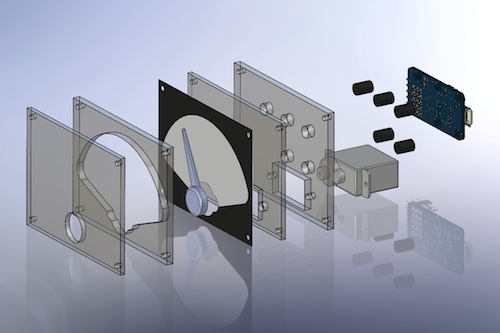
Expanded view of the VU meter
Retrieving CPU usage
It's not just Yotopuce that has evolved: Python has become a more popular language, and there are ready-made libraries for almost anything. In this case, there's now a psutil package that makes it easy to retrieve CPU usage on both Linux and Windows.
Simply install the package with the command "pip install psutil" and use the following code:
...
cpu_usage = psutil.cpu_percent()
Driving the Yocto-Servo
We no longer need to use a C++ application, we simply use our Python library.
Just like the psutil library, our library is available on PyPi and you can install it with the command "pip install yoctopuce".
You can then use the same methods we used in our C++ program.
Note that if you've never used our modules before, we recommend visiting our tutorial page to familiarize yourself with the concepts behind our libraries.
from yoctopuce.yocto_servo import *
...
errmsg = YRefParam()
if YAPI.RegisterHub("usb", errmsg) != YAPI.SUCCESS:
sys.exit("error: %s" % errmsg.value)
..
while True:
cpu_usage = psutil.cpu_percent()
cpu_pos = cpu_usage * 20 - 1000
try:
servo_cpu = YServo.FindServo(my_servo_hwid)
servo_cpu.move(cpu_pos, args.delay * 1000)
except Exception as e:
print("Unable to update cpu gauge: %s" % e)
The code is fairly simple:
- We import "yocto_api" for the YAPI class and "yocto_servo" for the YServo class.
- We call YAPI.RegisterHub to use the USB ports.
- We retrieve the CPU usage.
- We use a rule of three to obtain the corresponding position (-1000...+1000)
- We retrieve the YServo object using YServo.FindServo.
- We move the servo using the move command.
The complete code is available on GitHub: https://github.com/yoctopuce-examples/CPUGauge.
If you examine it in detail, you'll see that we've added a few new features, such as displaying disk usage and the option to use a YoctoHub instead of the USB port.
Conclusion
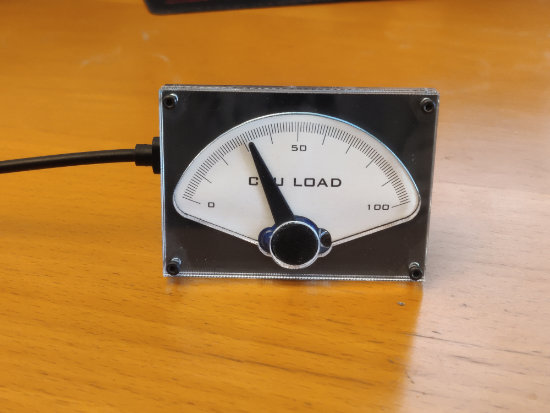
The VU meter
So there you have it: 14 years later, we're still doing the same thing, but even better.