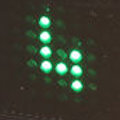
 For an in-house project, we needed a small display that we could read from a few meters away, even in the dark, but that would remain unobtrusive when not in use. We were therefore very tempted by these displays that remain invisible when turned off, which is why we decided to use a 15x7 CharliePlex LED Matrix Display FeatherWing from Adafruit, driven by a Yocto-I2C-C, all enclosed in a 3D-printed plastic case.
The hardware
The electronics
The CharliePlex FeatherWing is a small board measuring approximately 51x23mm with 15x7 tiny LEDs. Ours are green, but there are versions available in different colors. The board is controlled via I2C, hence the use of a Yocto-I2C.
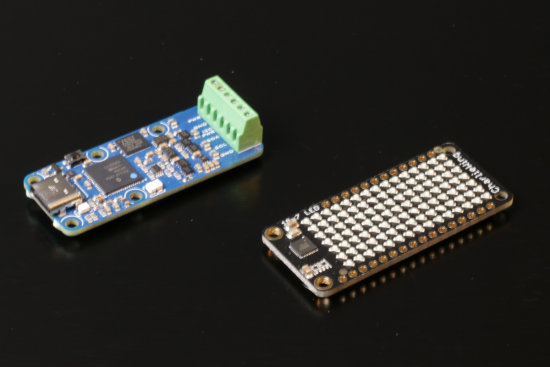
The electronics part: a Yocto-I2C-C and a CharliePlex FeatherWing
The electronics setup is extremely simple: the Yocto-I2C-C is connected to the CharliePlex via four wires, and the I2C port is configured for Message-based , 400kbps, 3.3 volt.
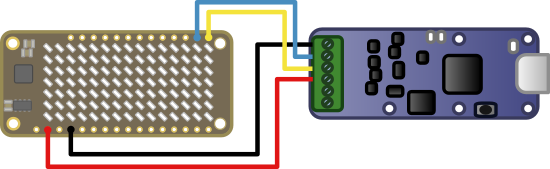
Connection between the Yocto-I2C-C and the CharliePlex FeatherWing
The enclosure
The enclosure, which is 3D-printed, consists of two half-shells that are screwed together. The Yocto-I2C-C is screwed into the bottom of one of the shells. The bottom of the other shell shows 15x7 blind holes aligned with each LED; each hole is covered by two layers, each 0.1 mm thick. We determined empirically that, with PRUSA PLA JetBlack filament, a 0.1 mm layer was too transparent, while four 0.1 mm layers made the holes completely opaque.
The printed side facing the LEDs is far too thin to use screws; so the CharliePlex FeatherWing is secured using four blocks that can then be melted to ensure nothing moves. The screws that hold the Yocto-I2C-C in place and close the enclosure are secured using threaded inserts.
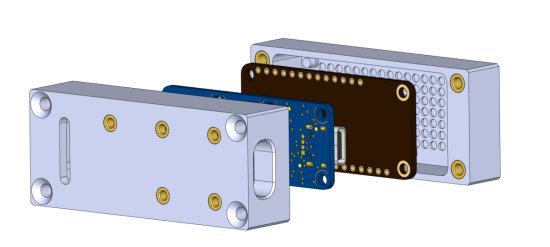
All the pieces
Once assembled, the whole thing looks like a tiny black monolith measuring about 27x27x65 mm, with most of its surfaces a solid black. The only slightly suspicious-looking part is the USB cable sticking out of it.
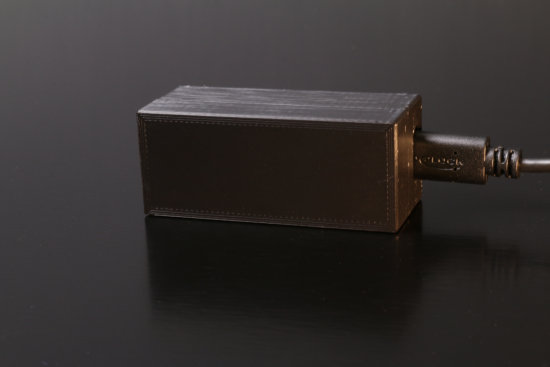
The display, once finished
The software
The CharliePlex FeatherWing is based on an IS31FL3731 chip from ISSI, which can control 144 LEDs, with independent brightness control for each LED and eight memory layers, called frames in the documentation.
To initialize the chip and ensure it is in a known state, you must send the following sequences over the I2C port
- {S}E8FD0B{P}{S}E80A00{P} Off
- {S}E8FD0B{P}{S}E80A01{P} On
- {S}E8FD0B{P}{S}E80000{P} Picture mode, frame 1
- {S}E8FD0B{P}{S}E80100{P} select frame 1
- {S}E8FD0B{P}{S}E80600{P} disable Audio synchronization
- {S}E8FD00{P}{S}E824FF..FF{P} 144*FF : all LEDS power at 100%
- {S}E8FD00{P}{S}E812000000000000000000000000000000000000{P} all LEDS off
Note that these sequences assume the I2C address of the CharliePlex FeatherWing is 0x74, hence the first byte is (0x74 <<1) | 0 = 0xE8.
To turn on the LEDs, you only need to send a 16-byte buffer, but where things get a little complicated is that while Adafruit does provide a library for controlling the CharliePlex FeatherWing from the various modules in their Feather range, but they don't describe how the LEDs are mapped to the IS31FL3731's memory, and to put it mildly, it's not trivial.
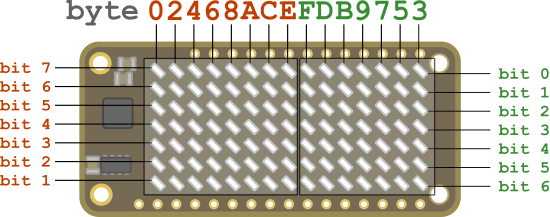
In Python, it looks like this:
def showBitamp(i2cPort:YI2cPort frame:int, bitmap: bytearray ): lockup = [0,2,4,6,8,10,12,14,15,13,11,9,7,5,3] InvertLookUp = [0x00,0x80,0x40,0xc0,0x20.... data2Send = [0]*16 for i in range(15): if i > 7: data2Send[lockup[i]] = InvertLookUp[ bitmap[14-i]] >>1 else: data2Send[lockup[i]] = (bitmap[14-i] <<1) &0xff i2cdata:str = "{S}E8FF00{P}{S}E800" for i in range (16) : i2cdata=i2cdata+format(data2Send[i], '02x') i2cdata = i2cdata +"{P}" i2cPort.writeLine(i2cdata)
In this code, InvertLookUp is a lookup table containing all bytes from 0 to 255 with their bits inverted using a left/right mirror. It's a bit of a crude method, but it's much faster than trying to do it with binary logic.
We created a small Python class that lets us display a number between 0 and 9999 on our display; we spiced it up a bit by adding the ability to rotate the display 180°, display negative values, and adjust the brightness.
Does it work?
It works pretty well. We were a little worried that we'd have to use the IS31FL3731 memory planes and do double-buffering to get a smooth rendering, but we didn't need to.
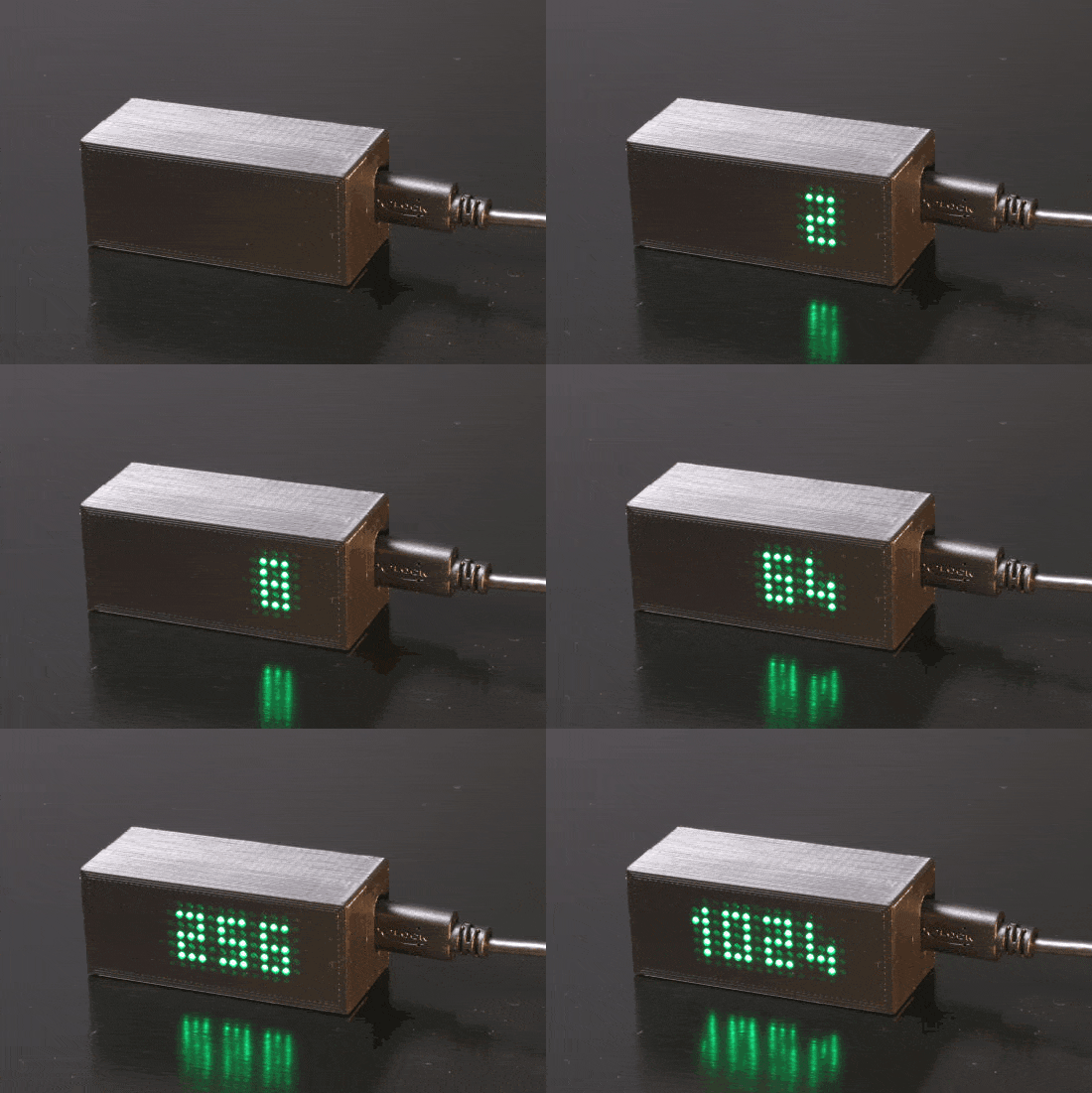
It's pretty, isn't it?
You can find the demo code we wrote that counts down the seconds in this ZIP file.
Finally, note that Adafruit sells a variant of the CharliePlex FeatherWing with 16x9 LEDs; we would have loved to use it, but we weren't able to purchase one within the time constraints to write this post.