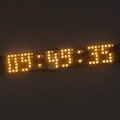
 A customer recently asked us if it was possible to create a large horizontal scrolling display using Yoctopuce modules. The Yocto-Color-V2-C can drive a chain of 512 LEDs, but to build a large horizontal scrolling display, 512 LEDs are only enough to create a single row of pixels. So, can we combine multiple modules and control them in sync?
For a display that changes only periodically, there's no doubt that you can combine multiple Yocto-Color-V2-C to drive several thousand RGB LEDs. But to create a smoothly scrolling display, you need to be able to update all the LEDs in a highly synchronized manner, with a refresh rate of at least 25Hz.
The brute-force method of continuously sending the state of all LEDs is not feasible: the amount of data transferred would be too large to achieve the desired performance. We have therefore recently added dedicated methods to facilitate the creation of scrolling displays, allowing you, with a single atomic command, to:
- shift all RGB pixels by one position (to the left or right)
- selecting the color of the new RGB pixel
- triggering an immediate refresh of the LED chain
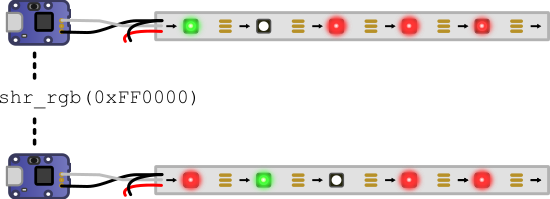
Effect of the shr_rgb() method
Depending on the desired effect, you can choose between four methods: shl_rgb and shl_hsl to scroll left (shift left) or shr_rgb and shr_hsl to scroll right (shift right). To update a display consisting of multiple rows of pixels, you must call the chosen method consecutively on each row of the display, in order. Assuming the column of pixels to be added on the left is defined in an array newPixels, you would use the following code:
for i in range(0, N_LED_STRIPS):
ledCluster[i].shr_rgb(newPixels[i])
# 10ms pause
YAPI.Sleep(10)
The fact that the lines are updated sequentially causes a very slight slanting effect on the display, but it is not at all distracting, quite the contrary. Here is the result for a six-line display:
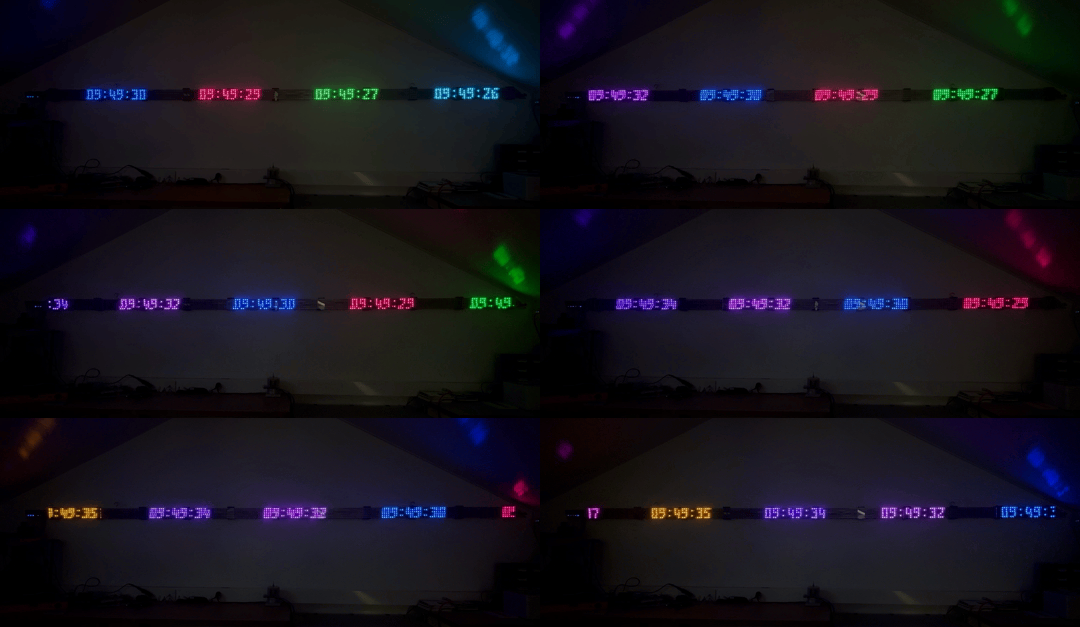
To create this video, we used a Raspberry Pi 3B+, six Yocto-Color-V2, and 4-meter RGB LED strips with 60 LEDs per meter (though the modules are configured to drive strips up to 8 meters long, or 480 LEDs). This demonstrates that it is possible to synchronously control multiple Yocto-Color-V2 via USB to refresh a scrolling display at a refresh rate of 30 Hz.
Out of curiosity, we tried controlling the system through a YoctoHub-Ethernet connected to a YoctoHub-Shield. Unfortunately, the communication speed between the Ethernet hub and the shield does not allow for a comparable refresh rate. This specific issue can be resolved by distributing the six LED strips across two YoctoHub-Ethernet, but a new problem then arises: slight variations in network latency between the two hubs occasionally result in a noticeable lag between the two groups of LED strips. It is therefore better to stick with direct control via a small single-board computer, using USB.
Note also that the power consumption of these LED strips is not negligible and increases significantly with the number of LEDs lit. It is therefore almost mandatory to provide an external power supply to the LED strips. In our example, the power consumption of the LEDs amounts to 1 Ampere.